
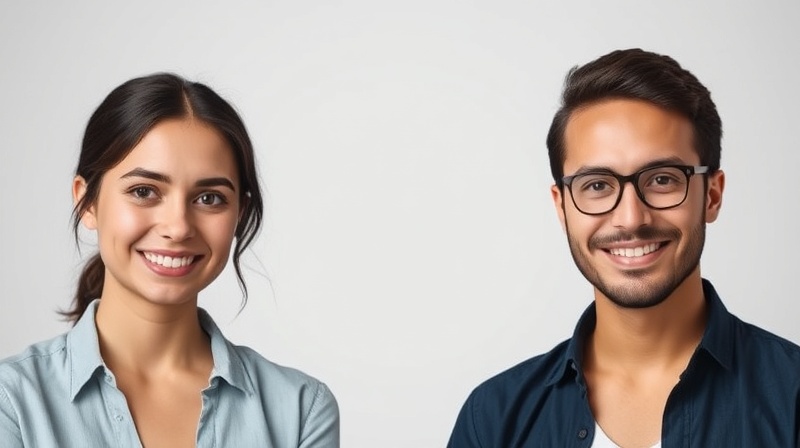
A professional headshot is essential for making a strong first impression online. Whether you’re updating your LinkedIn profile, creating content for your company website, or building your personal brand, AI headshot generators offer a fast, affordable alternative to traditional photography sessions. These innovative tools use artificial intelligence to transform casual photos into studio-quality professional headshots in minutes.
In this comprehensive guide, we’ll explore the best AI headshot generators available today. From budget-friendly options to premium services for corporate teams, this article will help you find the perfect solution for creating polished, professional headshots that elevate your online presence.
1. Fotoria.com – Best Overall AI Headshot Generator
Pros:
- Exceptional photorealism and facial accuracy
- Wide variety of professional styles and backgrounds
- Fast turnaround time (under 30 minutes)
- Excellent value with flexible pricing options
- Advanced AI technology for natural-looking results
- No watermarks on final images
Cons:
- Requires 6-12 photos for optimal results
- Premium features require paid subscription
- Limited free trial options
Key Features:
- Upload 6-12 photos to train the AI model
- Receive 100+ high-resolution headshots in multiple styles
- Choose from business casual, corporate, creative, and formal looks
- Advanced lighting and background options
- Retouching features included automatically
- Team packages available for businesses
Price: Starting from $49 for Basic, $59 for Professional, $69 for Executive
Fotoria stands out as the top AI headshot generator in 2025, delivering studio-quality results that rival professional photography. What sets Fotoria apart is its sophisticated AI engine, which produces remarkably realistic headshots that maintain your unique features while enhancing lighting, composition, and overall presentation.
The platform requires users to upload 5+ diverse photos, which allows the AI to understand your facial features, expressions, and characteristics from multiple angles. This investment in the training process pays off with consistently accurate results that look natural rather than artificially generated. Most users receive their complete headshot collection within 20-30 minutes, making it one of the fastest premium services available.
Fotoria excels in variety and quality. Users typically receive over 100 high-resolution images featuring different backgrounds, outfits, lighting setups, and poses. The range includes everything from corporate navy suits with neutral backgrounds to creative styles with warmer tones and relaxed settings. This diversity ensures you’ll find multiple headshots suitable for different professional contexts.
The platform’s user interface is intuitive and streamlined. After uploading your photos, you can select preferred styles, choose between indoor and outdoor settings, and even specify outfit preferences. The AI handles the rest, including automatic retouching that enhances skin tone, reduces blemishes, and optimizes facial features without making you look overdone or artificial.
For businesses and teams, Fotoria offers dedicated packages that ensure visual consistency across your organization. Team administrators can manage multiple users, select unified style preferences, and download headshots in bulk. This makes Fotoria particularly valuable for startups, remote teams, and companies looking to maintain a cohesive brand image without coordinating traditional photo shoots.
While Fotoria is a premium service without a completely free tier, the quality and quantity of output justify the investment for professionals serious about their online presence. The headshots are suitable for LinkedIn profiles, company websites, speaker bios, email signatures, and any professional context where visual credibility matters.
2. MyEdit – Best Free Option
Pros:
- Generous free daily credits
- Quick generation process
- Preview results before exporting
- Additional AI tools included
- Affordable premium upgrades
Cons:
- Results may vary in consistency
- Limited style customization
- Lower resolution in free version
Key Features:
- Upload 1 photo for quick results
- Free daily credits for regular users
- Multiple style options included
- Integrated with other AI editing tools
- Fast processing (approximately 10 minutes)
| Price: Free | Premium from $4.00/month |
MyEdit offers one of the best free AI headshot generation experiences available. Unlike many competitors that only provide limited trials, MyEdit gives users recurring daily credits, making it accessible for those who want professional headshots without immediate financial commitment.
The platform only requires a single photo to generate headshots, which significantly reduces the setup time. While this means results might be less consistent than services requiring multiple training images, MyEdit’s AI still produces respectable quality suitable for most professional applications. The ability to preview results before using credits helps ensure you’re satisfied before finalizing your selection.
What makes MyEdit particularly attractive is its ecosystem of complementary AI tools. Beyond headshot generation, users can access background removers, art generators that create anime or cartoon avatars, and various photo enhancement features. This makes it a versatile choice for users who want an all-in-one creative platform.
3. Aragon AI – Best for Custom Results
Pros:
- Highly realistic and photographic quality
- Consistent facial accuracy across outputs
- Clean, professional aesthetic
- No watermarks or branding
Cons:
- No free trial or daily credits
- Requires 12-20 photos for training
- Higher price point than some alternatives
- Longer setup process
Key Features:
- Upload 12-20 selfies for AI training
- Receive 40+ high-resolution headshots
- Multiple backgrounds, poses, and outfit styles
- Professional-grade lighting and composition
- Turnaround time: 1-2 hours
| Price: Basic $12 | Standard $15 | Executive $25 |
Aragon AI positions itself as a premium solution for users who demand photorealistic results. The platform requires significant input in the form of 12-20 selfies, but this comprehensive training dataset enables the AI to create remarkably consistent and accurate headshots that closely resemble professional studio photography.
The platform’s strength lies in its attention to detail. Lighting, skin texture, and facial features are rendered with exceptional realism. The headshots feel natural rather than artificially generated, making them suitable for high-stakes professional use like executive profiles, board member bios, or corporate annual reports.
Aragon isn’t designed for casual users or those seeking quick, one-off headshots. The setup requires time and effort, and there’s no free tier to experiment with. However, for professionals who need the highest quality results and are willing to invest both time and money, Aragon delivers outstanding value.
4. HeadShotPro – Best for Remote Teams
Pros:
- Excellent for team uniformity
- Consistent results across multiple users
- High volume of output (120+ images per person)
- Simple team onboarding process
- Fast turnaround (typically 2 hours)
Cons:
- No free version or trial
- Less flexibility for non-corporate styles
- Premium pricing structure
Key Features:
- Team-focused workflow and management
- Upload 8-20 images per team member
- Consistent backgrounds and lighting across the team
- Bulk download and organization features
- Scalable for organizations of any size
| Price: Basic $29 | Professional $39 | Executive $59 |
HeadShotPro specializes in serving remote teams, startups, and organizations that need unified professional headshots across their workforce. The platform’s standout feature is its team management system, which allows administrators to coordinate headshot creation for multiple employees while maintaining visual consistency.
Each team member uploads 8-20 selfies, and the system generates over 120 AI headshots with coordinated backgrounds and lighting. This ensures that when headshots appear together on a company website or team directory, they look cohesive rather than cobbled together from various sources and time periods.
The 2-hour turnaround time makes HeadShotPro particularly valuable for organizations facing tight deadlines. Whether you’re launching a new website, preparing for a conference, or onboarding new team members, HeadShotPro can deliver professional results faster than scheduling traditional photography sessions.
5. Dreamwave – Best for Business Professionals
Pros:
- Requires fewer photos than competitors (5-8)
- Very realistic facial modeling
- Fast processing time (1-2 hours)
- User-friendly interface
- Natural lighting and backgrounds
Cons:
- No free trial or credit option
- Limited post-generation customization
- Fewer background and outfit variety options
Key Features:
- Upload only 5-8 well-lit selfies
- Developed by former MIT researchers
- Focus on natural, business-appropriate presentation
- Receive approximately 40 AI-generated headshots
- Professional lighting and neutral backgrounds
| Price: Starter $35 | Standard $59 | Best Value $99 |
Dreamwave strikes a balance between quality and convenience. Created by former MIT researchers, the platform uses advanced AI modeling to produce photorealistic headshots with minimal input from users. Requiring only 5-8 selfies makes Dreamwave one of the easiest premium services to get started with.
The platform focuses on creating authentic-looking business portraits rather than stylized or artistic interpretations. The lighting is natural, backgrounds are professionally neutral, and facial features are rendered with impressive accuracy. This makes Dreamwave particularly suitable for job seekers, entrepreneurs, and professionals building their online presence.
However, Dreamwave isn’t designed for users seeking creative variety or artistic expression. The outputs are consistently professional but don’t offer the wide range of styles and backgrounds available from some competitors. For users who prioritize realistic business headshots over variety, this focused approach is actually an advantage.
6. Fotor – Best Budget-Friendly Premium Option
Pros:
- Affordable premium subscription
- Quick turnaround (under 1 hour)
- Minimal setup required (4-10 photos)
- Good quality for the price
- Multiple style options
Cons:
- Not as high-end as premium competitors
- Less customization depth
- Results may vary in consistency
Key Features:
- Upload 4-10 selfies for AI training
- Various professional styles and settings
- Processing time under one hour
- Suitable for LinkedIn and business profiles
- Free tier available with limited features
| Price: Free | Pro+ from $8.99/month |
Fotor provides a middle ground between free tools and premium services. The platform is accessible to casual professionals and freelancers who want quality headshots without investing in top-tier services. While the results aren’t as refined as platforms like Fotoria or Aragon, Fotor delivers solid professional headshots at a fraction of the cost.
The setup process is straightforward, requiring only 4-10 selfies. Users can choose from various professional styles, and results typically arrive in less than an hour. This combination of ease, speed, and affordability makes Fotor an attractive option for budget-conscious users who still want respectable professional headshots.
The quality is generally good enough for LinkedIn profiles, freelancer portfolios, and business websites, though it may not meet the standards required for high-level corporate use or executive profiles.
7. PFPmaker AI – Best for Instant Results
Pros:
- Extremely fast generation (seconds to minutes)
- Free version available
- Requires only 1 photo
- Produces large volume of options
- Fun, casual results
Cons:
- Limited facial accuracy
- Results may look artificial or over-edited
- Not suitable for formal business use
- Inconsistent quality
Key Features:
- Upload just 1 photo for instant generation
- Produces dozens to hundreds of variations
- Different backgrounds, styles, and effects
- Ideal for social media avatars and casual profiles
- Quick experimentation with various looks
| Price: Free | Premium options available |
PFPmaker AI prioritizes speed and volume over photorealism. The platform is designed for users who want quick profile picture options for social media, gaming profiles, or casual professional use. While it’s not suitable for high-stakes business applications, PFPmaker excels at rapidly generating numerous variations from a single photo.
The tool’s greatest strength is accessibility. Users can upload one selfie and instantly receive dozens or even hundreds of AI-generated images in various styles, backgrounds, and color schemes. This makes it perfect for experimenting with different looks or quickly creating avatars for multiple platforms.
However, the results are typically more stylized and less realistic than premium AI headshot generators. Facial features may not be rendered with precision, and some outputs can appear obviously AI-generated. For serious professional use, PFPmaker works best as a supplementary tool rather than a primary solution.
How We Tested These AI Headshot Generators
To provide accurate and reliable recommendations, we conducted comprehensive testing of each AI headshot generator using a standardized methodology.
Gathering Source Photos
We compiled 15-20 diverse source photos for each test subject, including different backgrounds, lighting conditions, outfits, and facial expressions. Our testing team included individuals of different genders, ages, and ethnicities to evaluate how well each platform handles diverse facial features and characteristics. We used the same source photo library across all platforms to ensure fair comparison.
Upload Process and Requirements
For each platform, we documented the upload process, noting the minimum and maximum photo requirements, accepted file formats, image quality guidelines, and any rejected photos. We also measured the time required to complete the upload and initial setup for each service.
Generation Time and Output
We tested each platform multiple times at different times of day to assess processing speed consistency. We recorded the time from submission to receiving completed headshots and noted any variations in speed based on server load or subscription tier.
Quality Assessment
Each tester evaluated their own AI-generated headshots based on several criteria: facial accuracy and likeness to original photos, naturalness and realism of the final images, quality of lighting, backgrounds, and overall composition, variety and usability of the generated options, and presence of AI artifacts or unnatural features.
We also conducted cross-comparison testing to determine if any platform performed better or worse with specific facial features, skin tones, hair types, or other physical characteristics.
Value Analysis
Finally, we assessed the overall value proposition of each service by comparing pricing relative to output quality and quantity, availability of free trials or credits, suitability for different use cases, and customer support responsiveness.
Best Overall Choice: Fotoria
After extensive testing across multiple platforms and users, Fotoria emerges as the best AI headshot generator for 2025. While each platform on this list has its strengths, Fotoria delivers the optimal combination of image quality, variety, value, and user experience.
Fotoria’s AI technology produces consistently realistic results that maintain your natural appearance while presenting you in the best professional light. The platform’s ability to generate over 100 diverse, high-resolution headshots from a single training session provides exceptional value. Whether you’re a job seeker, entrepreneur, corporate executive, or team manager, Fotoria offers the quality and versatility needed to make a strong professional impression online.
For users seeking free options, MyEdit provides an excellent starting point. For those prioritizing team uniformity, HeadShotPro delivers outstanding results. However, for most professionals serious about their online presence, Fotoria’s combination of quality, speed, and value makes it the clear winner.
Frequently Asked Questions
1. What is an AI headshot generator?
An AI headshot generator is software that uses artificial intelligence and machine learning to create professional-quality portrait photographs from regular selfies or casual photos. These tools employ neural networks trained on extensive datasets of professional photography to understand lighting, composition, and retouching techniques. The result is studio-quality headshots without the need for professional photography sessions.
2. How does an AI headshot generator work?
AI headshot generators use deep learning models trained on millions of professional photographs. When you upload your photos, the AI analyzes your facial features, skin tone, hair, and other characteristics. It then generates new images by applying professional photography techniques like optimal lighting, flattering angles, and appropriate backgrounds. Advanced generators use multiple photos to create a comprehensive model of your appearance, resulting in more accurate and consistent outputs.
3. Are AI-generated headshots realistic enough for professional use?
Yes, modern AI headshot generators produce highly realistic results suitable for professional use. Platforms like Fotoria, Aragon AI, and Dreamwave create headshots that are virtually indistinguishable from traditional professional photography. However, quality varies significantly between platforms. Premium services that require multiple training photos generally produce more realistic results than free tools using single images.
4. How many photos do I need to upload?
The number of required photos varies by platform. Some tools like PFPmaker need only one photo, while others like Aragon AI require 12-20 images for optimal results. Generally, more training photos lead to better accuracy and consistency. Most premium services request 6-15 photos taken from different angles, with varied expressions and lighting conditions.
5. How long does it take to generate AI headshots?
Generation time varies from seconds to several hours depending on the platform and service tier. Quick generators like PFPmaker produce results almost instantly, while premium services like Fotoria typically deliver complete headshot collections within 20-30 minutes. More complex platforms requiring extensive training may take 1-2 hours. Processing time can also vary based on server load and time of day.
6. Can I use AI headshots for LinkedIn?
Absolutely. AI-generated headshots are widely accepted on LinkedIn and other professional platforms. In fact, many professionals prefer AI headshots because they can maintain an updated, consistent professional appearance without scheduling regular photo shoots. Platforms like Fotoria and Dreamwave specifically optimize their outputs for professional networking profiles.
7. Are there free AI headshot generators?
Yes, several platforms offer free options. MyEdit provides daily free credits, and PFPmaker offers a free tier. However, free versions typically produce fewer images, lower resolutions, or less realistic results compared to premium services. For critical professional use, investing in a premium service often provides better long-term value.
8. What’s the difference between cheap and expensive AI headshot generators?
Premium AI headshot generators typically offer superior facial accuracy and realism, more training photos for better consistency, higher resolution outputs, greater variety in backgrounds and styles, faster processing times, no watermarks or branding, and better customer support. Budget options can work well for casual use but may not meet the standards required for executive profiles or high-level professional applications.
9. Can AI headshot generators work for teams?
Yes, several platforms specialize in team headshots. HeadShotPro and Fotoria both offer team packages that ensure visual consistency across your organization. These platforms allow administrators to manage multiple users, coordinate style preferences, and download headshots in bulk, making them ideal for company websites and team directories.
10. Do I own the rights to my AI-generated headshots?
Ownership rights vary by platform. Most reputable AI headshot generators grant you full commercial usage rights to the images generated from your photos. However, it’s important to review each platform’s terms of service. Premium platforms like Fotoria typically provide unrestricted usage rights, while some free tools may have limitations on commercial use.
Conclusion
AI headshot generators have revolutionized professional photography, making studio-quality portraits accessible to everyone. Whether you’re updating your LinkedIn profile, building a personal brand, or creating unified headshots for your entire team, there’s an AI solution that fits your needs and budget.
Fotoria leads the pack with its exceptional combination of quality, value, and versatility. However, the best choice for you depends on your specific requirements, budget, and intended use. For free options, try MyEdit. For team coordination, explore HeadShotPro. For premium photorealism with minimal input, consider Dreamwave.
The technology continues to improve rapidly, with AI-generated headshots becoming increasingly indistinguishable from traditional professional photography. As these tools evolve, they’re not just alternatives to professional photographers—they’re becoming the preferred choice for professionals who value convenience, consistency, and control over their professional image.
Take the time to experiment with a few platforms, and you’ll find the perfect solution to elevate your online presence with professional, polished headshots that make a lasting impression.